Everything youwatched. Collected.
Explore your Simkl history as a yearly collection of movies, shows, and anime.
Your watch history, at a glance.
Connect your Simkl account and annum gathers the movies, shows, and anime you’ve watched into a yearly poster collection. Pick a year, choose your media types, and rediscover the stories you spent it with.
Keep it all together or group it by month. When you’re ready to capture your year, switch to screenshot mode and make the grid your own.
Your year is worth a second look.
Revisit old favorites, rediscover forgotten gems, and see your Simkl watch history come together.
Dashboard preview
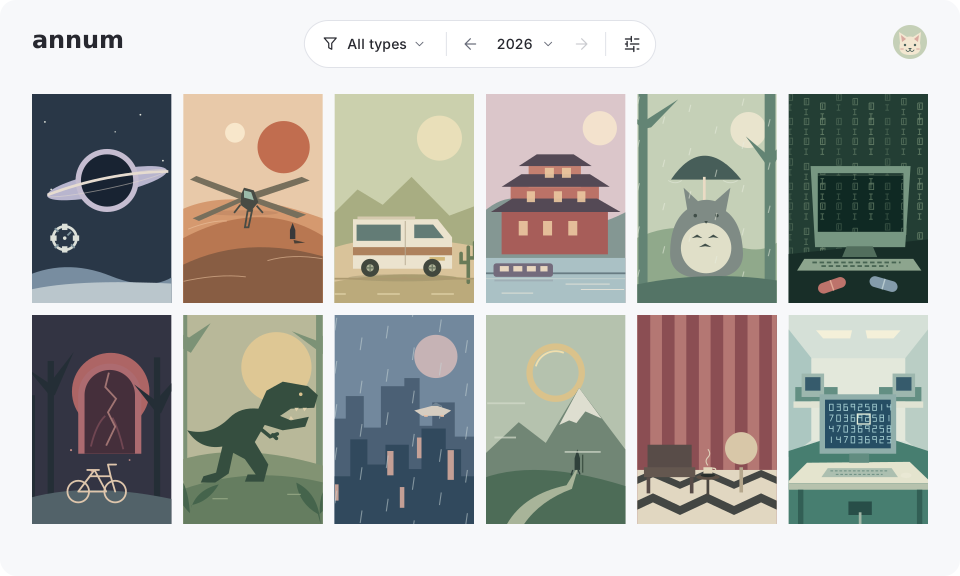
Illustrative preview. Your own watched titles appear after connecting.
A few things you might be wondering.
What is annum?
annum turns your Simkl watch history into a visual collection of movie, show, and anime posters. Choose a year to revisit what you watched, browse the artwork, and put together a year-in-review screenshot.
How do I get started?
Connect with your Simkl account and let annum load your watch history. Your collection appears as a poster grid. Use the controls above it to choose a year, filter media types, or change how the grid looks.
Do I need a Simkl account?
Yes. annum uses the movies, shows, and anime you have tracked on Simkl. Sign in through Simkl with your existing account. If you are new to Simkl, create an account there and start tracking what you watch before connecting it to annum.
Will annum change my Simkl watch history?
No. annum requests read-only access to your Simkl history. It does not mark anything as watched, edit your lists, or change your ratings. Keep tracking on Simkl; use annum to browse your collection.
Can I see movies, shows, and anime together?
Yes. All three media types appear in one collection by default. You can show one type or combine several using the type selector. Posters are ordered by the latest watch activity within the selected year.
How does annum decide which year a title belongs to?
Movies appear in the year of their most recent watch recorded by Simkl. Shows and anime appear in each year with recorded episode watch activity. A series watched across several years can therefore appear in more than one yearly collection.
Why might a title be missing from my collection?
Check the selected year and media types, then check that Simkl has a watch date for the title or its episodes. Entries with unknown watch dates are left out of yearly collections. A rewatched movie appears under its latest recorded watch year. If the initial sync fails, use the retry option on the dashboard.
Can I make a screenshot of my year in movies and shows?
Yes. Open display settings and enable screenshot mode for a seamless poster grid. You can adjust the number of columns, then capture it with your device or browser. annum does not currently include an image download or automatic screenshot export.
Can I customize the collection on my phone?
Yes. annum works in mobile and desktop browsers. You can switch between light, dark, and system themes, group your collection by month, and adjust the grid for screenshots. Your display preferences are saved in the browser.
Where does annum keep my collection?
annum caches a compact copy of your collection in your browser, so changing years or media types does not need a separate library request each time. It checks Simkl for updates when the dashboard loads. Another browser or device loads its own copy when you sign in.